doXmind app icon

doXmind

Your documents, on your computer.

A fully local, Markdown-native knowledge workspace.

Apple silicon · Free · No account required

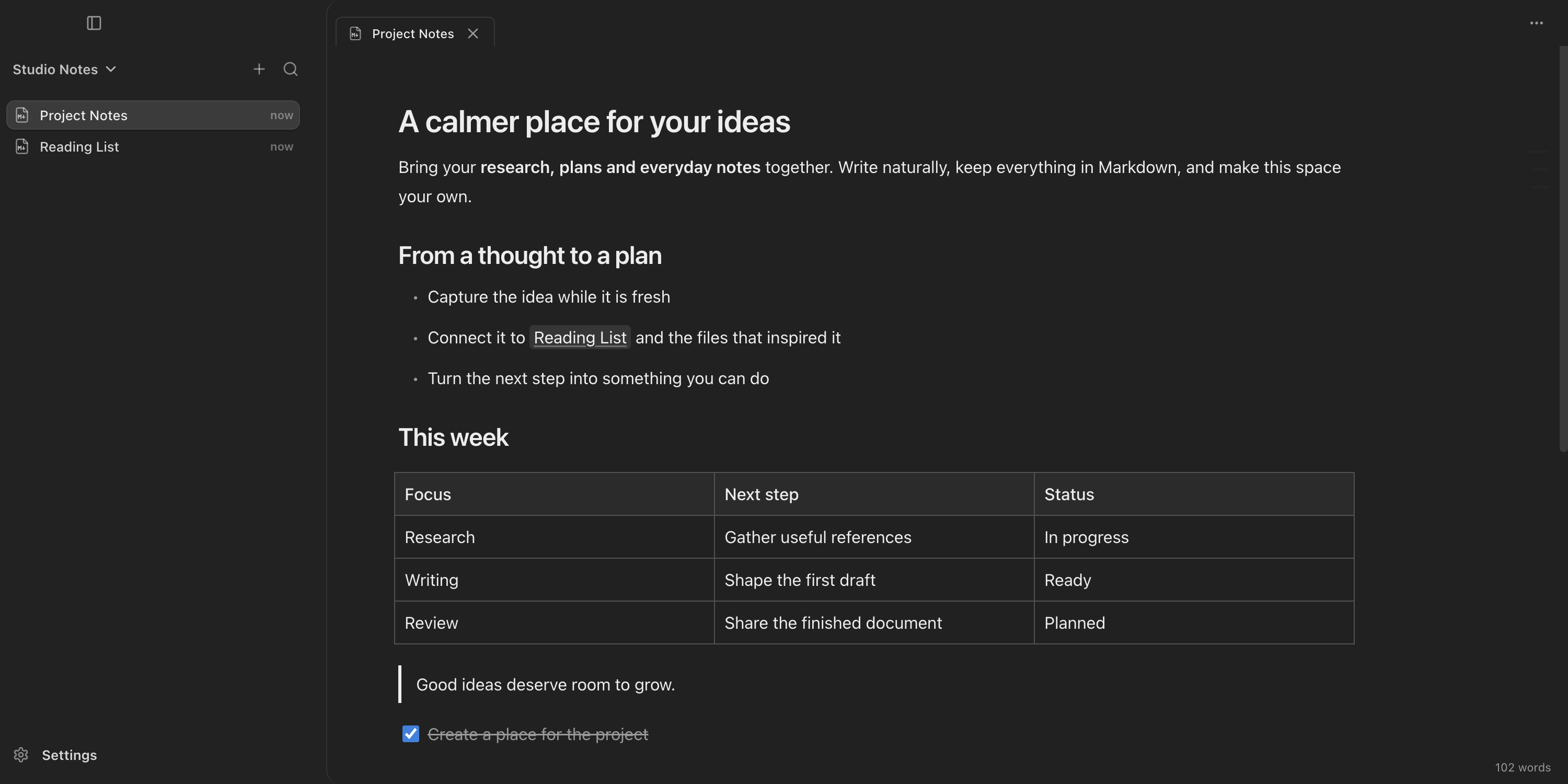
The doXmind workspace showing a Markdown Page with spreadsheet and PDF Attachments
Local by design

One editing surface: the Markdown Page.

Write Pages in a rich editor. Keep PDF, spreadsheet and HTML files as read-only Attachments in the same folder you already control.

01 · Page

Rich writing, portable source.

Write through semantic Blocks while a portable .md file stays in your own folder. Every edit maps back to canonical Markdown, so the Page remains useful in any Markdown tool, even without doXmind.

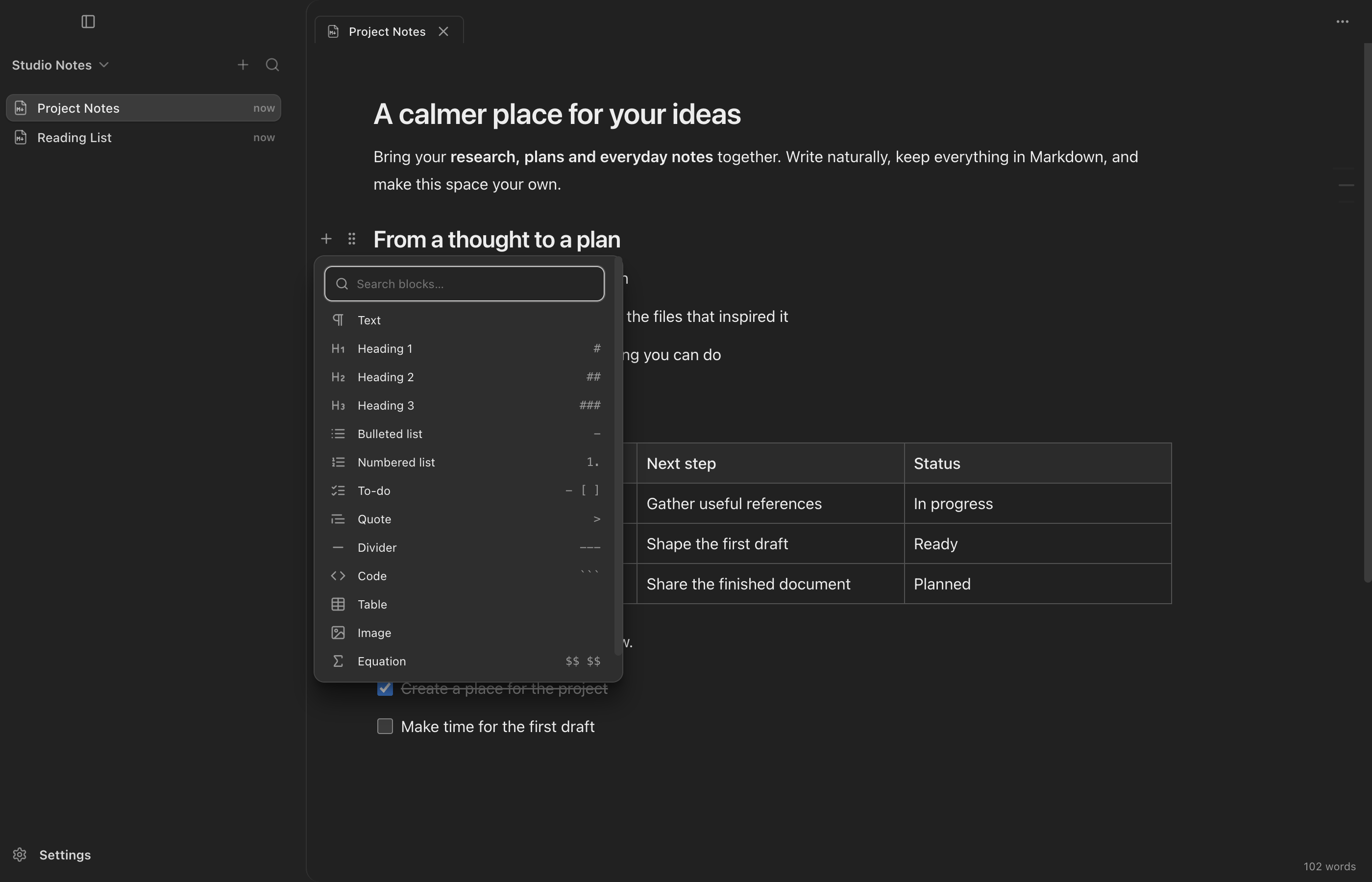
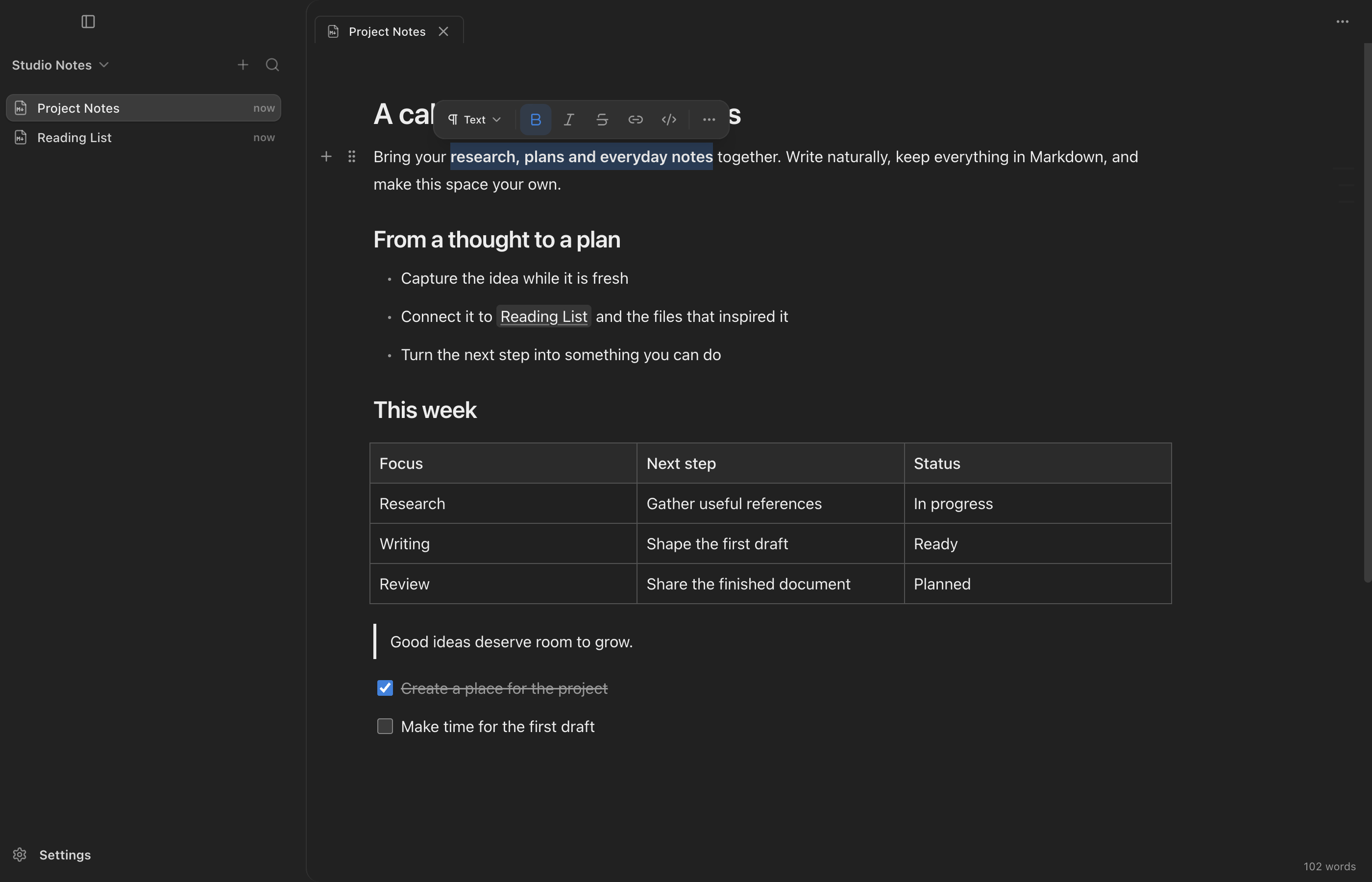
  • Semantic inline editing for emphasis, links, wiki links, code and local images
  • Quiet hover controls, a searchable Block menu and a floating text-selection toolbar
  • Contiguous multi-Block actions with hierarchy-safe nested-list movement
  • KaTeX math, Mermaid diagrams, tables, callouts, task lists and highlighted code
A Markdown Page open in the doXmind rich editor
02 · Your folder

A knowledge base you can leave with.

Open a real folder and create Pages directly beside the files you already manage. Ordinary Markdown links remain visible in the source instead of becoming relationships trapped in a cloud database.

  • Real folders and filenames stay authoritative
  • Pages stay readable in Obsidian, VS Code, Git and other Markdown tools
  • Portable links are the foundation for the knowledge layer ahead
A local folder in doXmind with one Markdown Page and two read-only Attachments
03 · Attachments

Reference files without rewriting them.

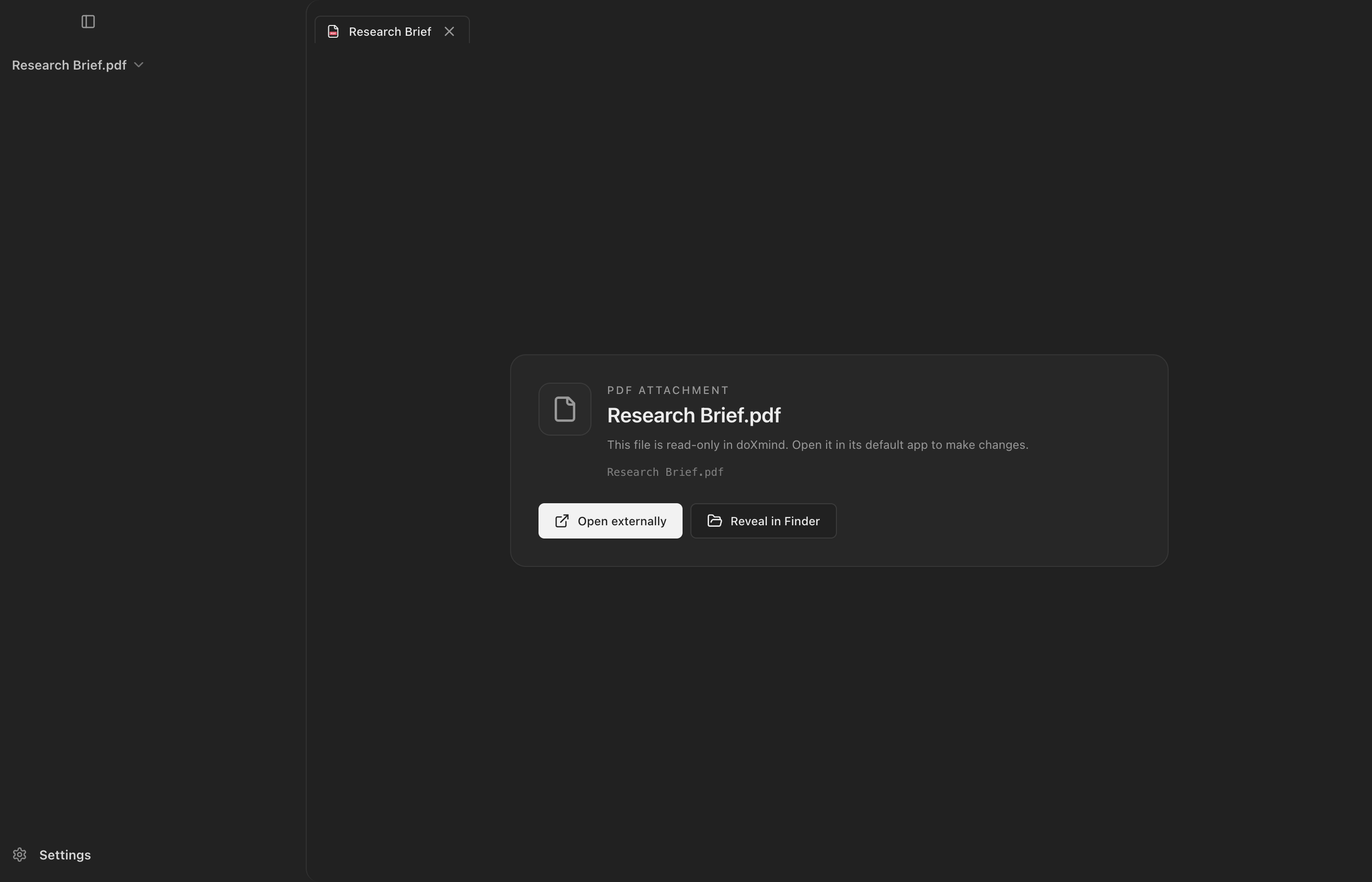
PDF, spreadsheet and HTML files can live in the workspace as read-only Attachments. Open them in the system app or reveal them in Finder without turning doXmind into a second office suite.

  • The original Attachment is never silently rewritten
  • Open Externally and Reveal keep file ownership clear
  • Legacy PDF and Excel evidence stays preserved; eligible cases can use an explicit, unverified recovery attempt
A doXmind Page documenting how PDF and spreadsheet files remain read-only Attachments
Privacy is the architecture

Built local. Runs offline. Nothing leaves your disk.

doXmind has no account, no cloud sync, no telemetry, and no AI runtime. The desktop app works directly with the files in your own folders, which remain the source of truth.

No account
Open and go
No sign-up, no login, no identity. Launch and start writing.
No cloud sync
Nothing uploads
Your files never leave the machine. There is no remote sync service.
No telemetry
Nothing watches
No analytics and no tracking. Your work stays private and available offline.
Source of truth
Your filesystem
Portable Markdown Pages and ordinary attachments on disk — yours to keep and move.

Keep your documents yours.

Download doXmind for macOS and start writing local Markdown Pages — no account, no cloud, no catch.

Apple silicon · v1.10.0·Release notes